SSH Keys Authentication
12/01/2025
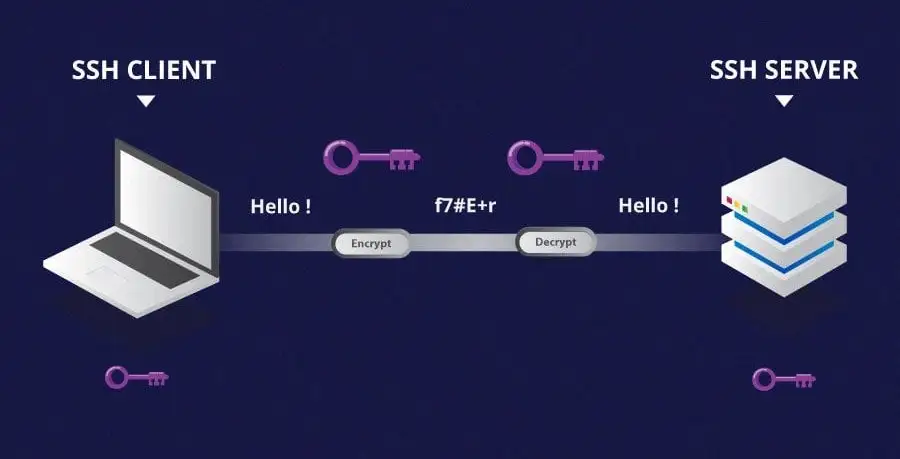
Why use SSH Keys?
SSH Keys provide a secure, password-free way to authenticate remote logins, reducing vulnerability to brute-force attacks. They simplify automation and ensure stronger security than password-based authentication.
An SSH key pair consists of two files: a private key (e.g., ~/.ssh/id_rsa) and a public key (e.g., ~/.ssh/id_rsa.pub). The private key is kept secure on your machine, while the public key is added to the server you wish to access. When you connect, the server verifies your identity by checking that the keys match, allowing secure access without needing a password.
Generating and copying SSH Keys
On the device that will connect to the remote machine:
-
Create the SSH Directory (if not present)
mkdir ~/.ssh && chmod 700 ~/.ssh -
Generate the Key Pair
ssh-keygen -b 4096
Save the key files in the default location when prompted.
-
Copy the Public Key to the Remote Server
ssh-copy-id [USER]@[IP]Follow the simply onscreen instructions.
If everything worked correctly, you should now be able to SSH into your remote machine without the need to authenticate with a password each time.
-
To test that this worked as expected, simply SSH into your machine
ssh [USER]@[IP]If it has been successful, you should be logged in without being asked for a password.
Locking Down SSH Logins
In order to properly make use of the security of using SSH keys as authentication, we now need to change a few settings.
On the remote machine (the one being secured), open the SSH Configuration file:
sudo nano /etc/ssh/sshd_config-
Locate the below lines and make the following changes:
-
Change the default port (22) to something different
Port [NEW_PORT]Using a non-standard port reduces automated attacks.
- To check if a port is in use, run:
sudo netstat -tuln | grep [your-port]
- To check if a port is in use, run:
-
Restrict to IPv4 only
AddressFamily inetIPv4-only restriction simplifies firewall management and can reduce potential attack vectors from IPv6-specific vulnerabilities, especially if IPv6 isn't actively used on monitored.
-
Disable Root Login
PermitRootLogin noDisabling root login prevents attackers from directly targeting the root account, which is a prime target for brute-force attacks. Instead, log in as a regular user and escalate privileges when necessary.
-
Disable Password Authentication
PasswordAuthentication noEnsure key-based authentication is fully functional before disabling password access!
Finally, save with
CTRL+X,Y,Enter. -
-
Restart SSH to apply the changes
sudo systemctl restart sshd
Conclusion
By following these steps, we significantly enhance the security of our machines and servers by replacing password-based authentication with key-based access and disabling less secure options. Strengthening internet-connected systems is crucial to mitigating potential threats. For an added layer of protection, check out my UFW guide for setting up a simple yet effective firewall.